

Sell Your Car Online Fast with CarAgencia
Key Benefits of Listing Your Car on CarAgencia:
-
Up to 25 Images Per Listing

-
Add a 30-Second Video

-
Sponsor Your Car for Maximum Visibility

-
Enhance Your Images with AI

-
Secure Chat & Voice Calls included


How it works
Sell Your Car in 3 Simple Steps
 1
Start Your Listing
Enter your car’s year, make, and model. Add mileage, features, and your location to help buyers understand your vehicle.
 2
Add Price & Photos
Set your asking price, upload up to 25 photos and a 30-second video, and choose the listing plan that fits your needs.
 3
Review & publish
Review your details and complete your listing. Once live, your car appears on CarAgencia so buyers can discover it and contact you.
1
Start Your Listing
Enter your car’s year, make, and model. Add mileage, features, and your location to help buyers understand your vehicle.
2
Add Price & Photos
Set your asking price, upload up to 25 photos and a 30-second video, and choose the listing plan that fits your needs.
3
Review & publish
Review your details and complete your listing. Once live, your car appears on CarAgencia so buyers can discover it and contact you.
Benefits of Listing with CarAgencia

One Listing, Multiple Platforms
Create one listing and reach buyers across multiple platforms.

Voice & Chat
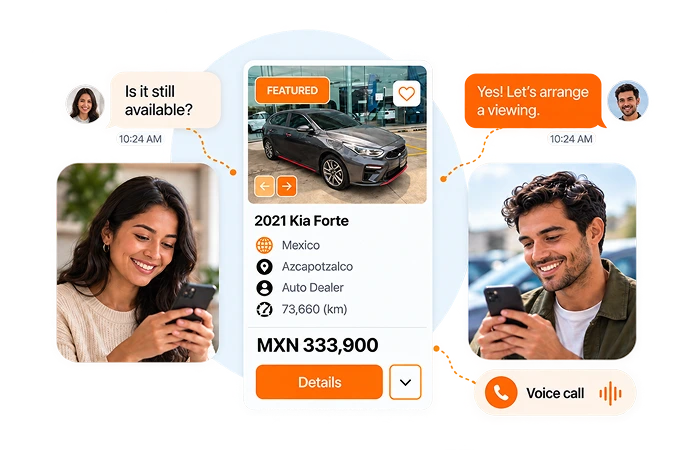
Connect with buyers through secure voice calls and real-time chat.

Up to 25 Photos
Show every angle with up to 25 photos that help buyers explore your car.

Featured Placement
Upgrade your listing for priority placement and more visibility among buyers.

30-Second Video
Highlight your car’s condition, interior, and engine sound with a short video.

Free KarStudio Credits
Use free KarStudio credits to enhance your photos with AI.

Newly Listed Badge
Give your new listing extra visibility when buyers browse cars in your area.

Dedicated Support
Get help with your listing through email and WhatsApp.
One Listing, Multiple Platforms
Create one listing and reach buyers across multiple platforms.
Voice & Chat
Connect with buyers through secure voice calls and real-time chat.
Up to 25 Photos
Show every angle with up to 25 photos that help buyers explore your car.
Featured Placement
Upgrade your listing for priority placement and more visibility among buyers.
30-Second Video
Highlight your car’s condition, interior, and engine sound with a short video.
Free KarStudio Credits
Use free KarStudio credits to enhance your photos with AI.
Newly Listed Badge
Give your new listing extra visibility when buyers browse cars in your area.
Dedicated Support
Get help with your listing through email and WhatsApp.
STAY CONNECTED WITH BUYERS
Let Buyers Know You're Available
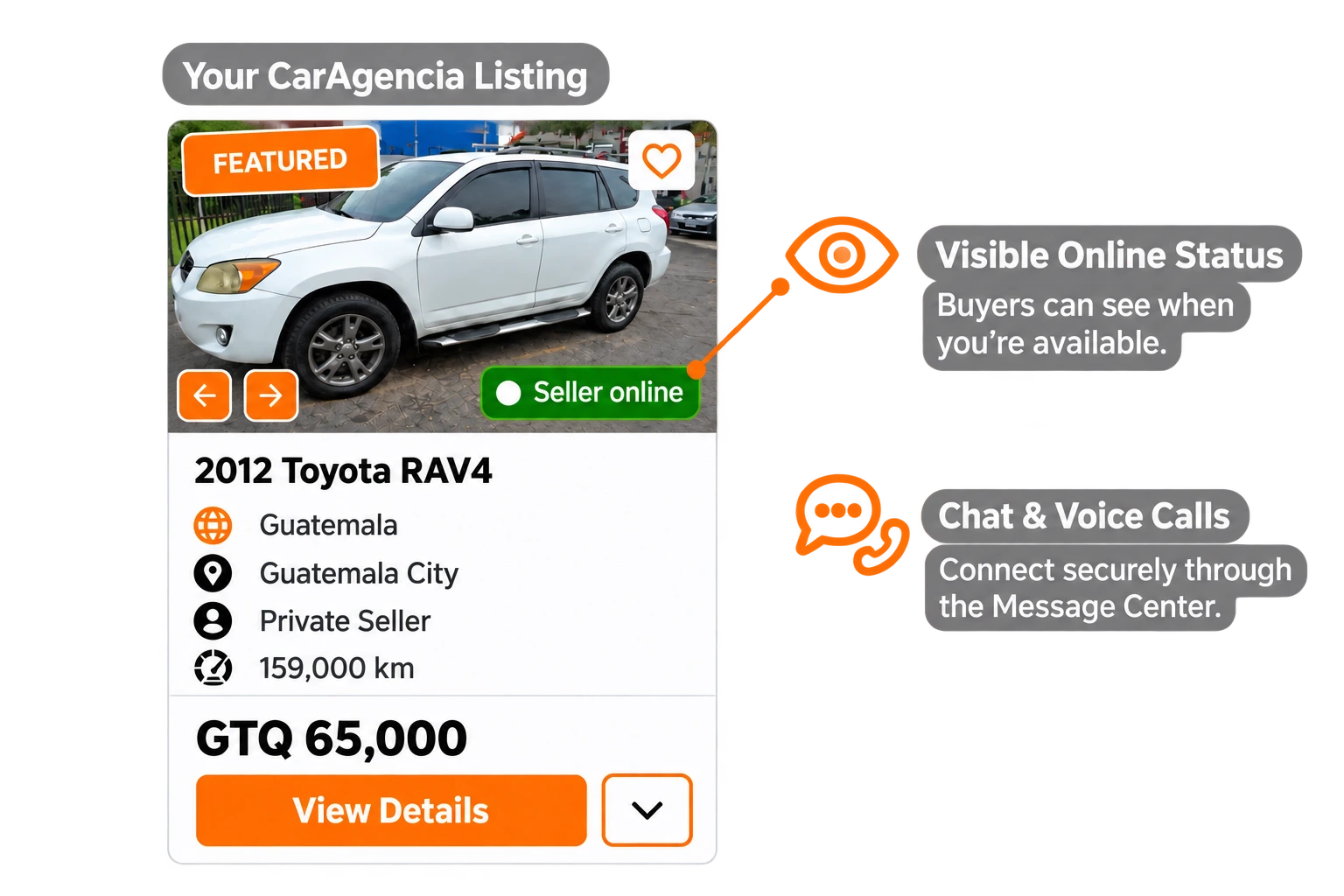
Your online badge lets buyers know you’re available. Connect through CarAgencia’s secure chat and voice calls.
Start Listing


Select a country
Choose your country to explore the best used car deals in your region.


Grow Your Dealership with CarAgencia
-

Manage Inventory in One Place
-

Your Dealer Digital Showroom
-

Marketing Support for Your Inventory
-
Dedicated Dealer Support
Frequently Asked Questions

Click "Start Listing" and enter your car's details, asking price, and location. Add photos and a description, choose your listing option, and submit your car for review.

Prepare your car's make, model, year, mileage, condition, asking price, and location. Include clear photos and describe its features, service history, and any known issues so buyers know what to expect.
CarAgencia is an online vehicle marketplace that connects you with potential buyers. You stay in control of your asking price, communicate directly with interested buyers, and agree on the sale with your chosen buyer.
Your listing becomes visible to buyers after our team reviews and approves it. Providing complete, accurate vehicle information and clear photos helps avoid delays.
Buyers can contact you through CarAgencia's Message Center using chat and voice calls. Answer questions, discuss offers, and arrange viewings without sharing your personal phone number.
Set a competitive asking price, upload clear photos, and write an accurate description. Show the interior, exterior, key features, and any visible damage. Respond promptly to inquiries to keep interested buyers engaged.
Sign in to your CarAgencia account, go to "Manage Cars," and deactivate your listing so buyers know the vehicle is no longer available.